CorelDraw for macOS
Rebuilding a legacy Windows desktop app as a fully native macOS experience — from platform audit to App Store launch.
Problem
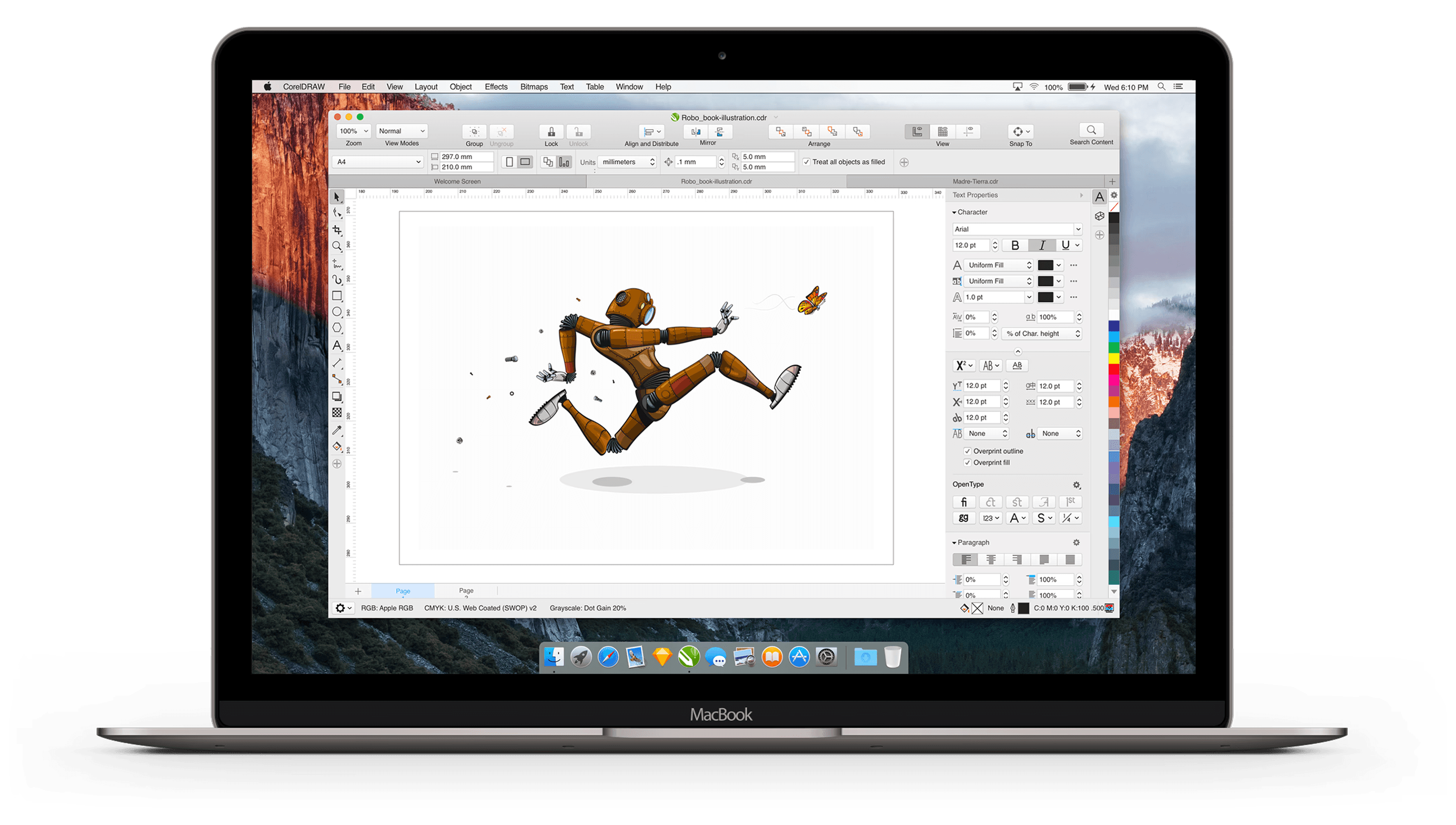
CorelDRAW was built exclusively for Windows over two decades. In 2018, the company decided to expand to macOS to grow its user base and revenue.
The core constraint: both platforms shared the same backend. Any change on macOS would affect Windows, and vice versa. At the same time, Mac users expected a native experience — familiar controls, system-standard patterns, and Apple HIG conventions the Windows version simply didn't support.
Process
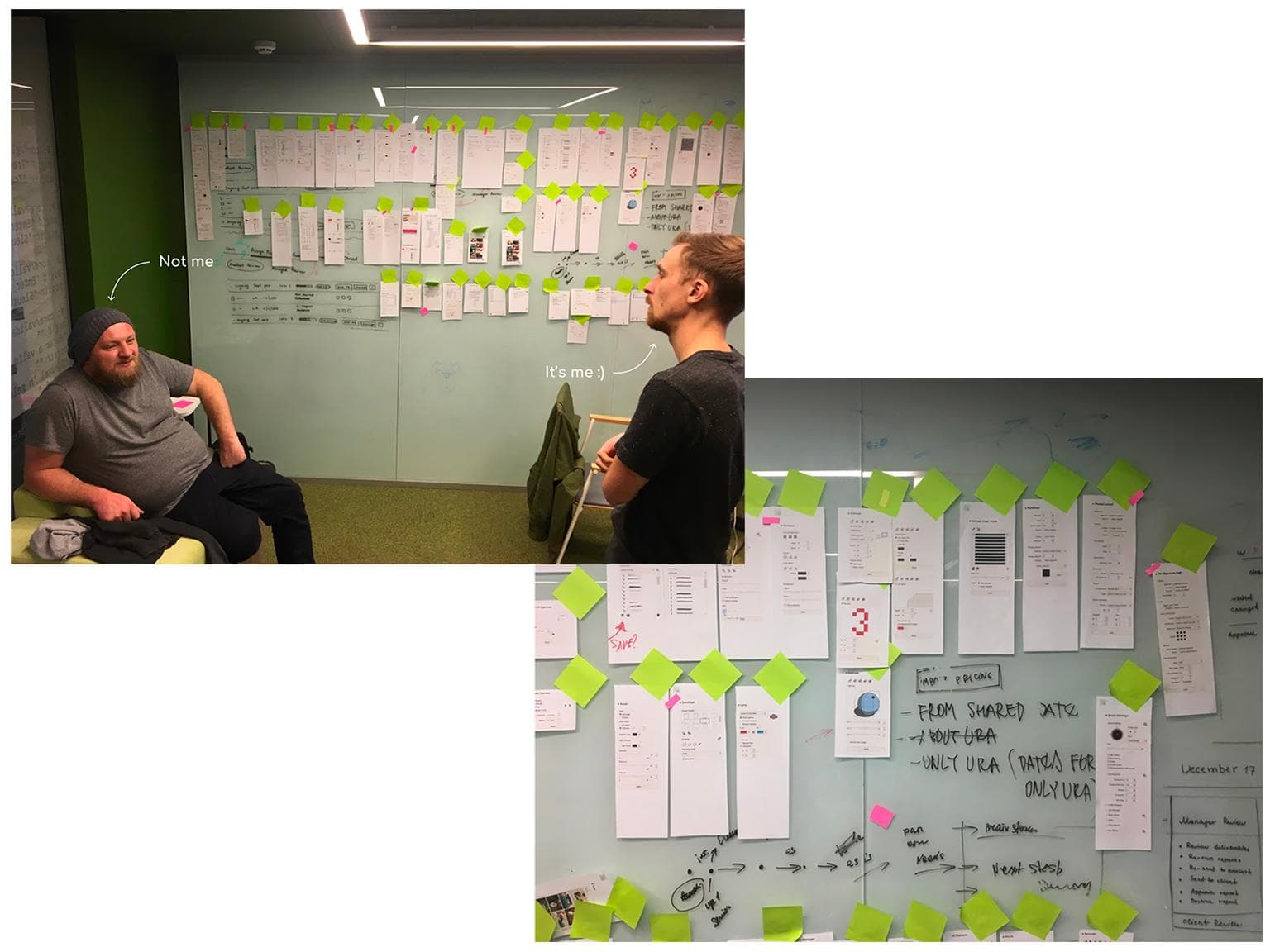
We divided the app into 12 areas of responsibility and assigned each to a specific designer, so four people could work in parallel without losing coherence. To stay aligned, we held design review and brainstorming sessions twice a week.
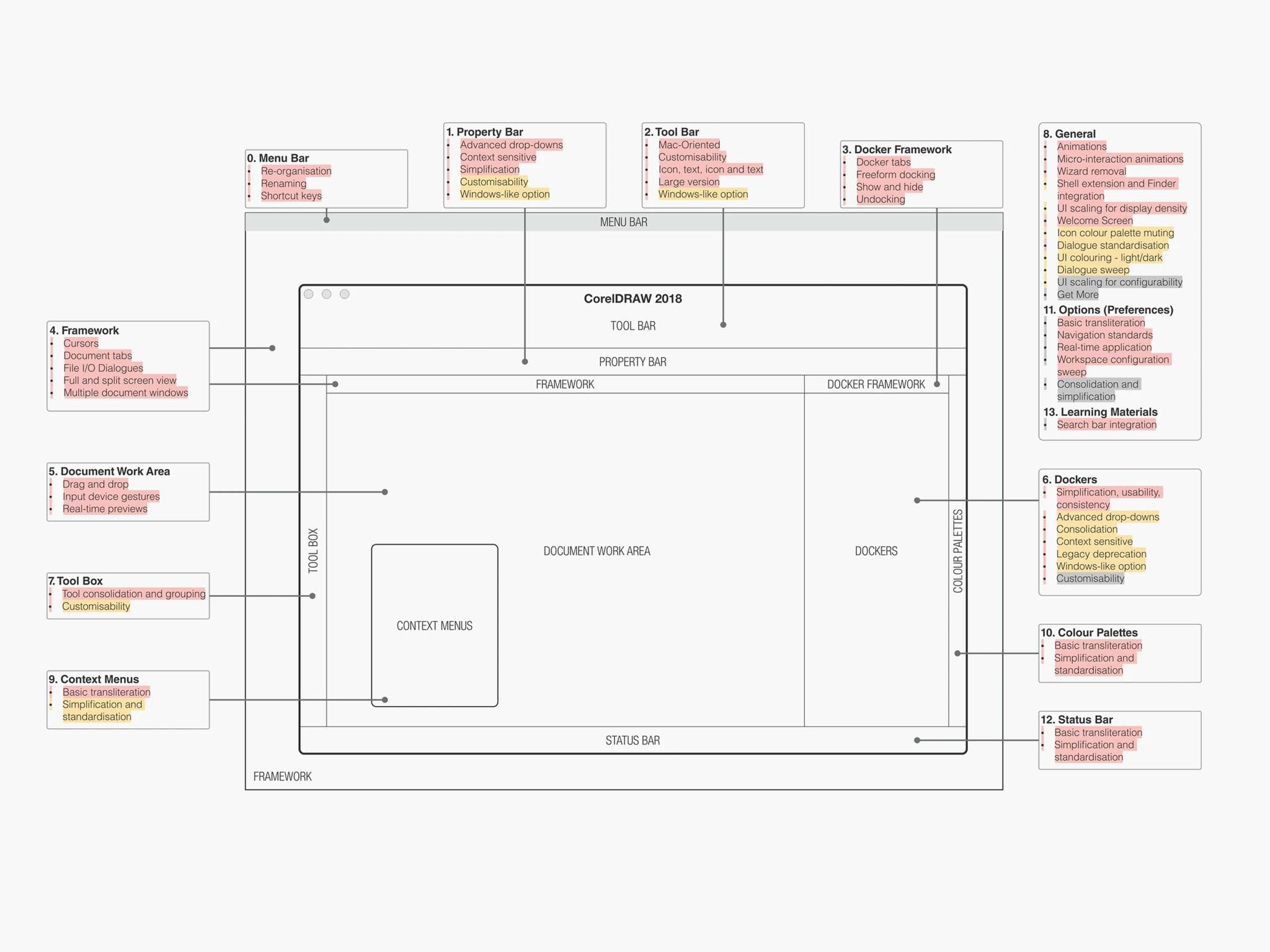
I was responsible for Context Menus, Menu Bar, and Dockers.
Dockers
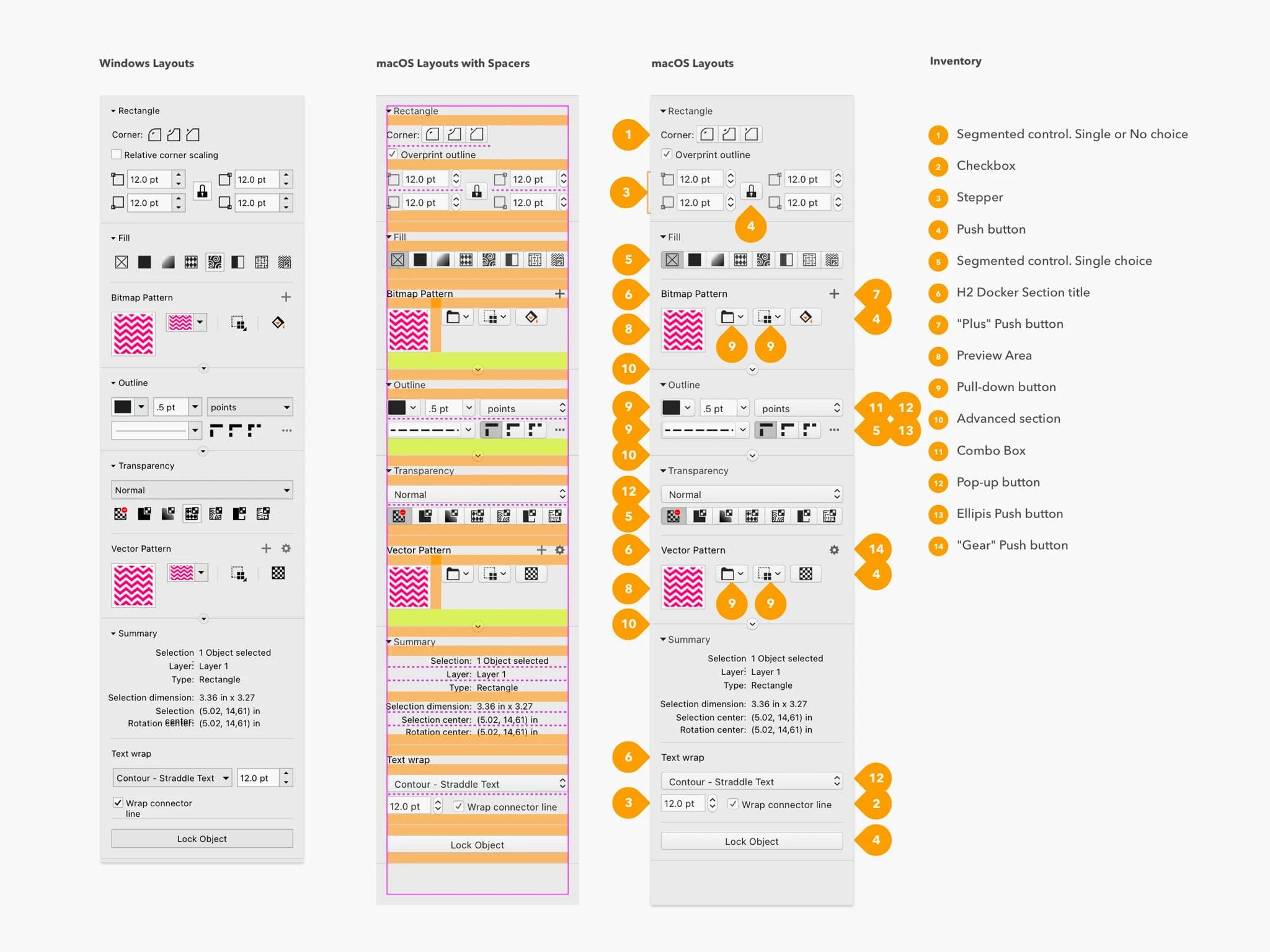
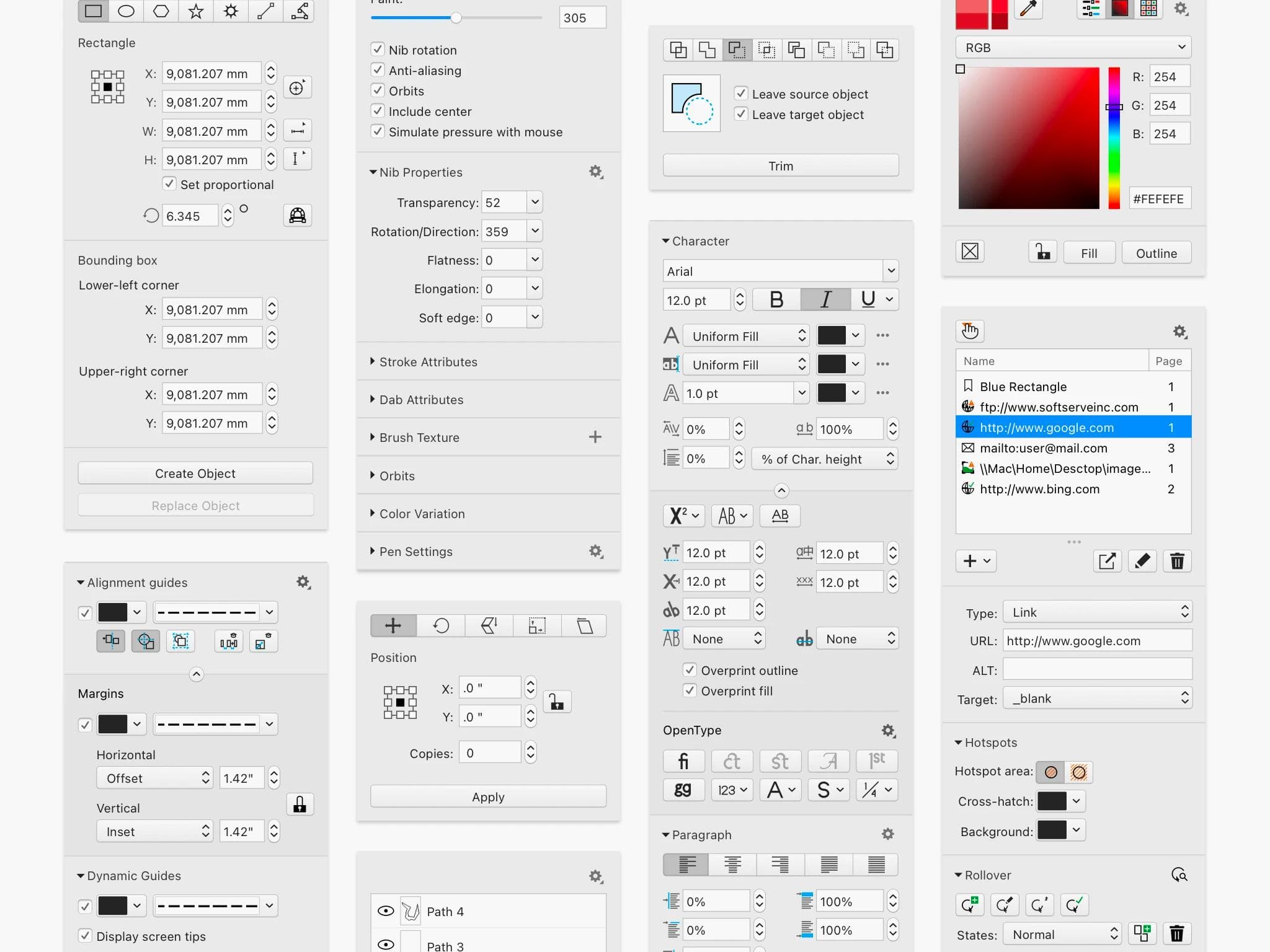
Dockers are contextual panels on the right side of the interface that give users access to object controls and parameters — similar to panels in Photoshop or Illustrator.
I audited each docker to understand its function, identified the main usability issues, and redesigned the controls using native macOS components in line with Apple HIG. Because both platforms share the same code logic, some changes required coordinating with the Windows team as well.
Context menus
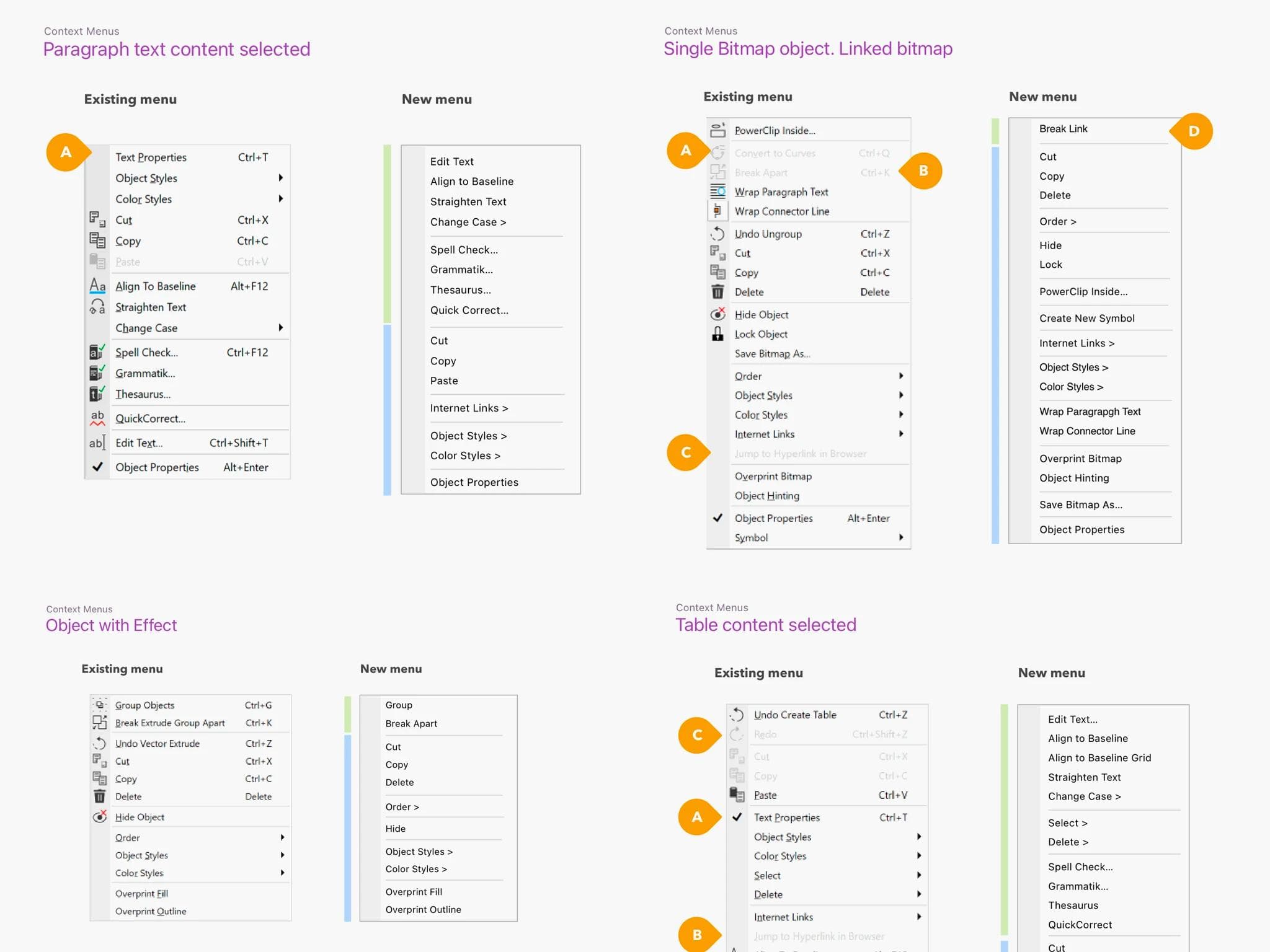
In the Windows version, context menus had no consistent ordering logic — each was built ad-hoc, making the experience unpredictable for users and difficult to maintain.
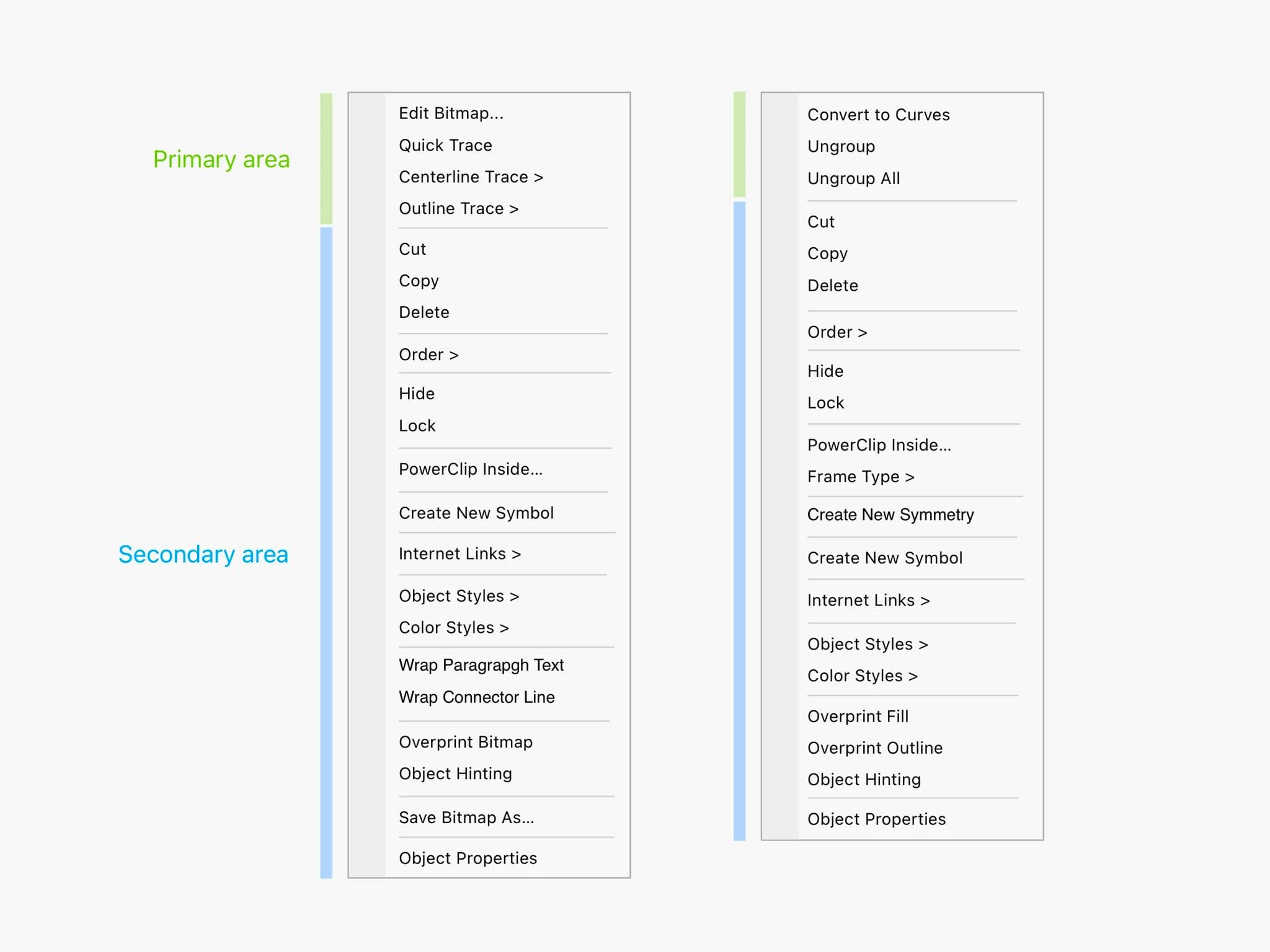
I established a clear information architecture rule: the menu structure should reflect the selected object. Every menu was divided into two zones — a Primary area for object-specific actions, and a Secondary area for shared, non-object-specific actions. This created consistency across all menus and reduced development effort.
Design system
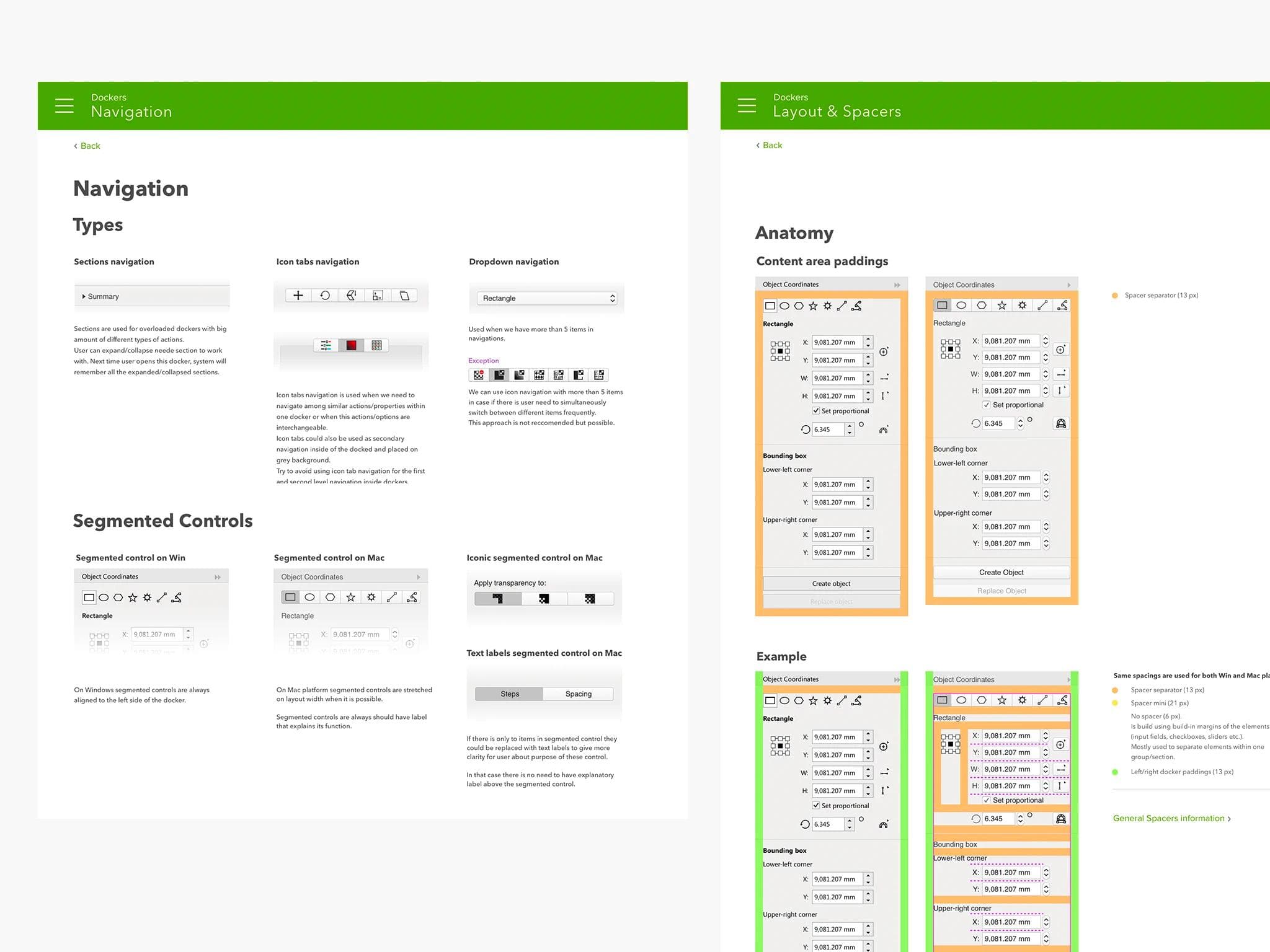
With four designers working across 12 areas simultaneously, visual consistency required a shared foundation. We built a design system covering both component rules and interaction patterns, ensuring every part of the interface followed Apple's Human Interface Guidelines.
Results
The macOS version launched as a closed beta with power users, giving us a direct feedback channel through a dedicated forum. After resolving the key issues identified during beta, the app was released publicly on the App Store — CorelDRAW's first-ever native Mac release.